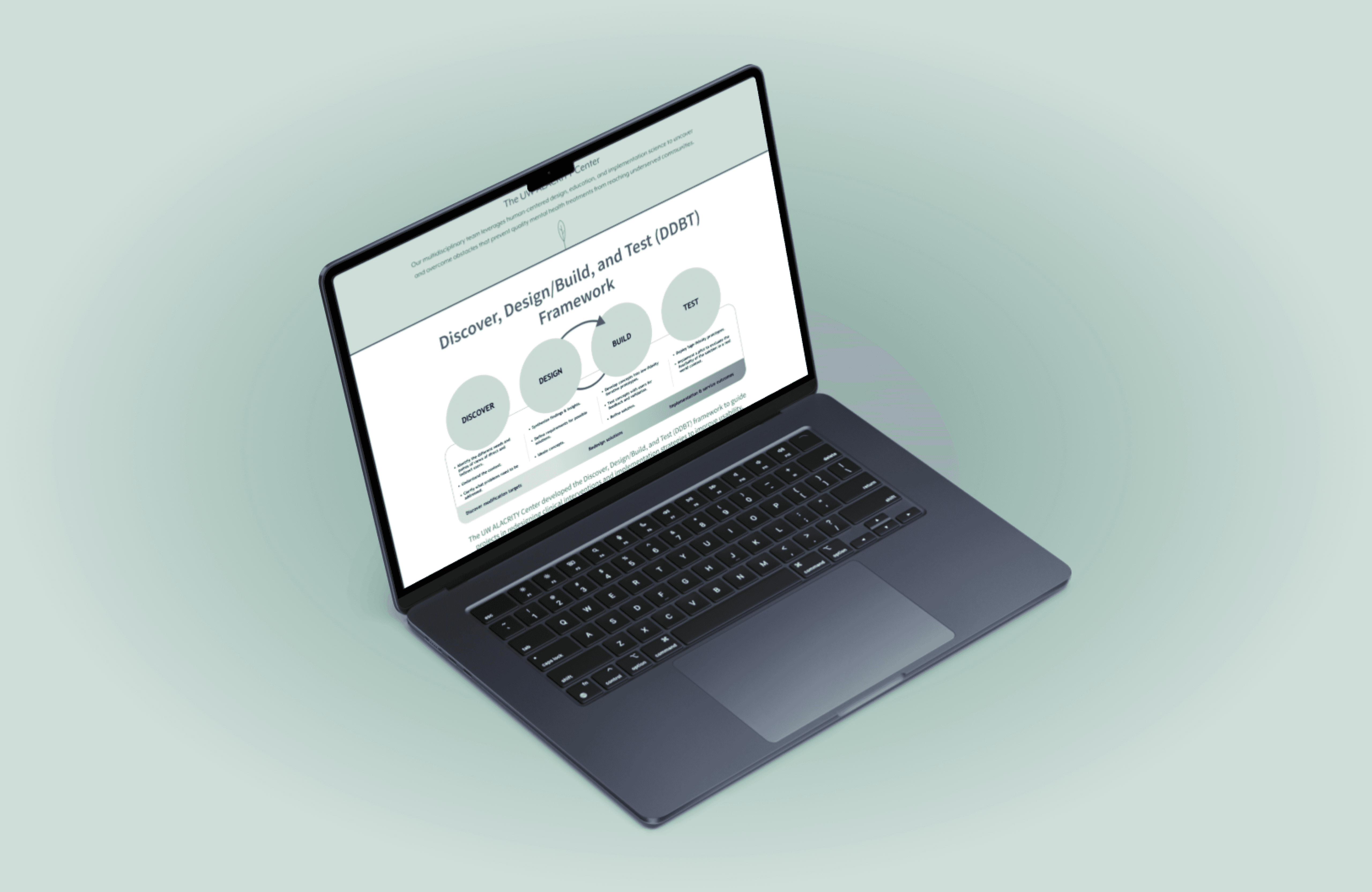
UW ALACRITY Redesign
User Research | Information Architecture | UX
In a directed research group led by PhD candidate, Tricia Aung, we improved the navigation and usability of the UW ALACRITY website. During this project, I wrote an interview protocol and led 8 interviews with internal and external UWAC stakeholders. Through research synthesis, we identified pain points and user needs to make intentional design decisions in our redesign.
View the full case study here.
Roles
UX Researcher
UX Designer
Team
Tricia Aung
Sara Alvarado
Derek Lee
Lia Mar-Lundeen
Katelyn Hoang
Tools
Figma
FigJam
Google Forms
Miro
Zoom
Timeframe
Autumn 2024
11 weeks
Context
Improving the UW ALACRITY website
The UW Advanced Laboratories for Accelerating the Reach and Impact of Treatments for Youth and Adults with Mental Illness Center (UW ALACRITY or UWAC) is a multidisciplinary team of experts from mental health, implementation science (IS), and human-centered design (HCD) focused on overcoming obstacles that prevent quality mental health interventions from reaching historically marginalized groups.
Our objective in this redesign was to improve the UW ALACRITY Center’s website to better meet diverse user and dissemination needs, highlight UWAC’s growing work of projects and resources, and improve the overall usability and accessibility of the site overall.
Design Question
How might we redesign the UW ALACRITY Center website to better suit user needs?
Research
Evaluate user needs and pain points
Survey
Our survey received 29 responses which consisted of professors, postdoctoral researchers, research scientists, research coordinators, and community organization staff.
First impressions were that the website was visually appealing but was difficult to navigate.
“Accordion navigation is a nightmare - I have to open every section to find what I am looking for (and often realize that it is on a different page)”
“Already familiar with it, so i could find things easier than the average person. However it's not intuitive whats on the website and the tabs on the top aren't very helpful. Have to click around to find things.”
“It's one of the nicer center-websites' that I know, and has good resources, but I think that these could be more structured”
“It looks nice, but I always forget which tab has the measures I'm looking for (e.g., "perceptual implementation outcomes" is not common terminology)”
Top reasons to visit the UW ALACRITY website:
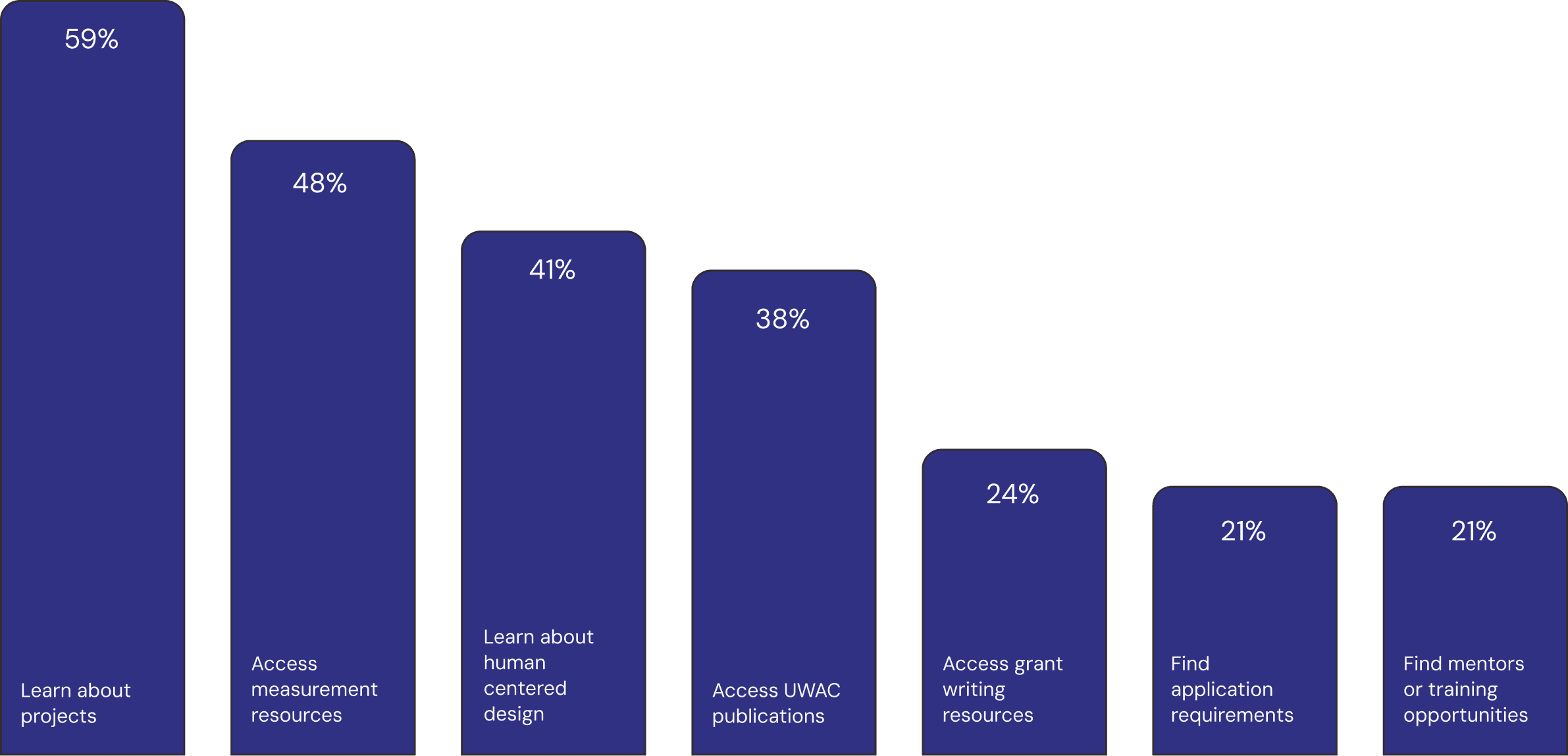
THE IDEAL UWAC WEBSITE...
Has more support on how to use Discover, Design, Build, Test (UWAC’s evidence based methodology) including examples on activities by phase, better navigation, grant support, dynamic project pages, and opportunities for mentorship/consultation.
Test Sessions
We designed usability testing sessions with three parts.
Warm-up Questions
Task-based Scenarios
Card Sorting
To help guide our interviews, I wrote an interview protocol, ensuring consistency throughout all interview sessions. Our participants were internal and external UWAC stakeholders. We synthesized our survey and interview findings through affinity mapping.
Here are our insights:
Aesthetically, the website was great but needed better formatting: lacking a search bar, images took up a lot of space, the website felt busy, and content was hidden in navigation accordions.
Users want more accessible resources for diverse audiences: content needed simplification, lacked interactive tools, visual aids, and practical examples.
Users wanted information on UWAC to be front and center: having linked resources on the front page, learning more about people at UWAC, combining some categories, and removing less relevant content.
Recommendations
Our informed design decisions
Update content to reflect the Discover, Design, Build, and Test framework.
Individuals suggested having resources and examples updated so it is easier to see how DDBT directly applies to projects.
We reformatted content and created a general template for projects.
Tailoring resources for a broader audience, including non-academics.
Many respondents (especially external participants) were often confused by language that was used internally and/or higher-level research terms that were not very understandable to the public.
We simplified and pared down the language on the main pages, and added more visuals to explain important concepts.
Restructure Projects and Measures pages to reduce challenges when navigating the pages.
Many survey respondents and interviewees felt frustration with accordion tabs and the lack of a search bar.
We have updated the pages to have a card based layout and include filters and a search bar.
Spotlight request for proposals.
From our research, many users found it hard to locate where to submit proposals.
To combat this, we will create a dedicated page for request for proposals and include it in News.
Solution
The new and improved UW ALACRITY Center Website
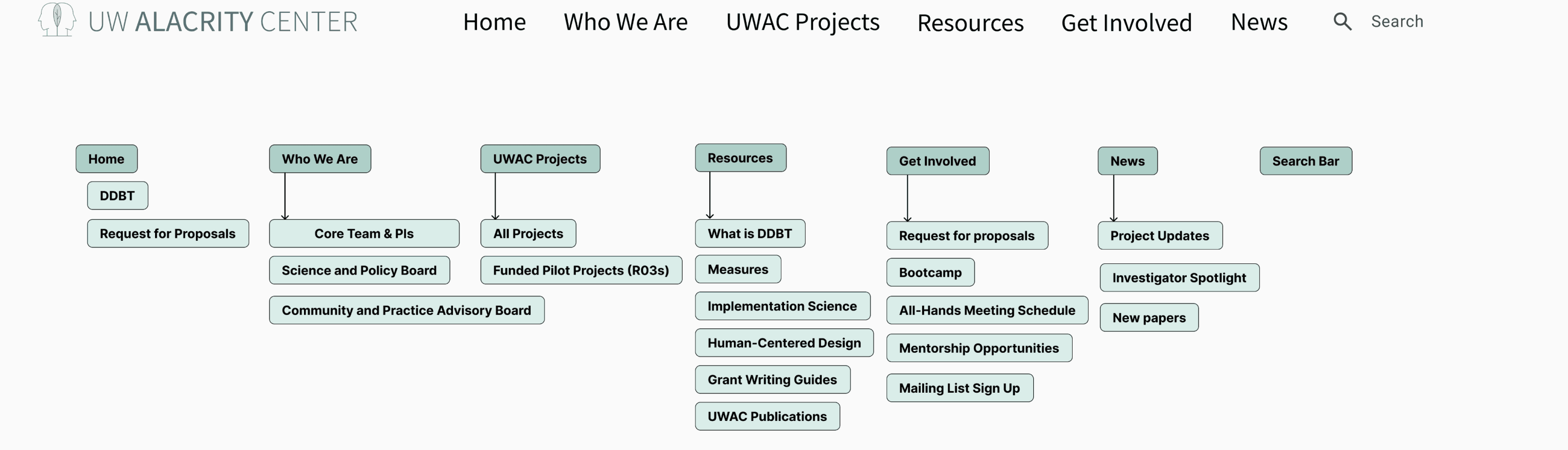
Navigation and Search Field
Home
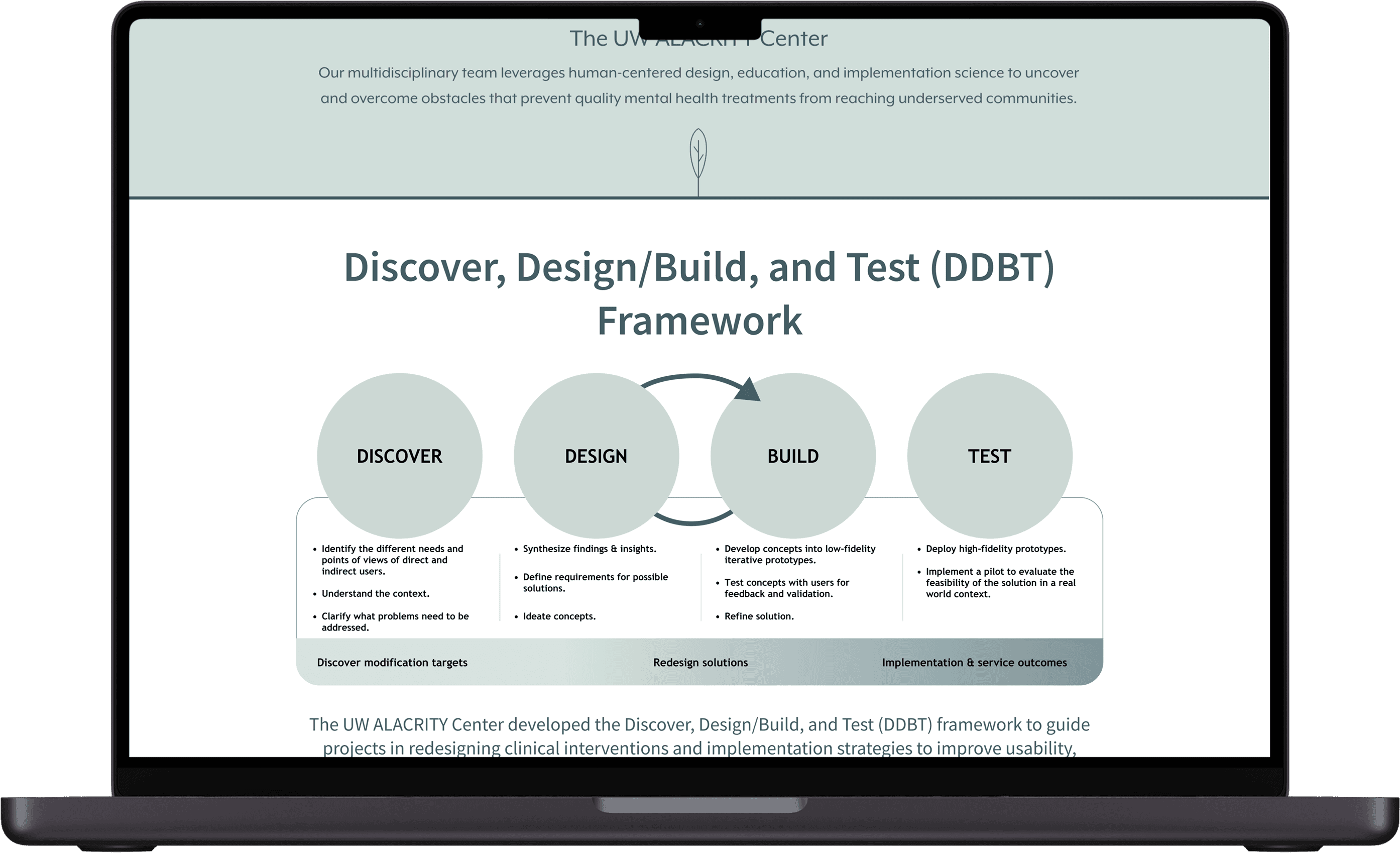
Essential information on DDBT framework right under the hero image of the landing page.
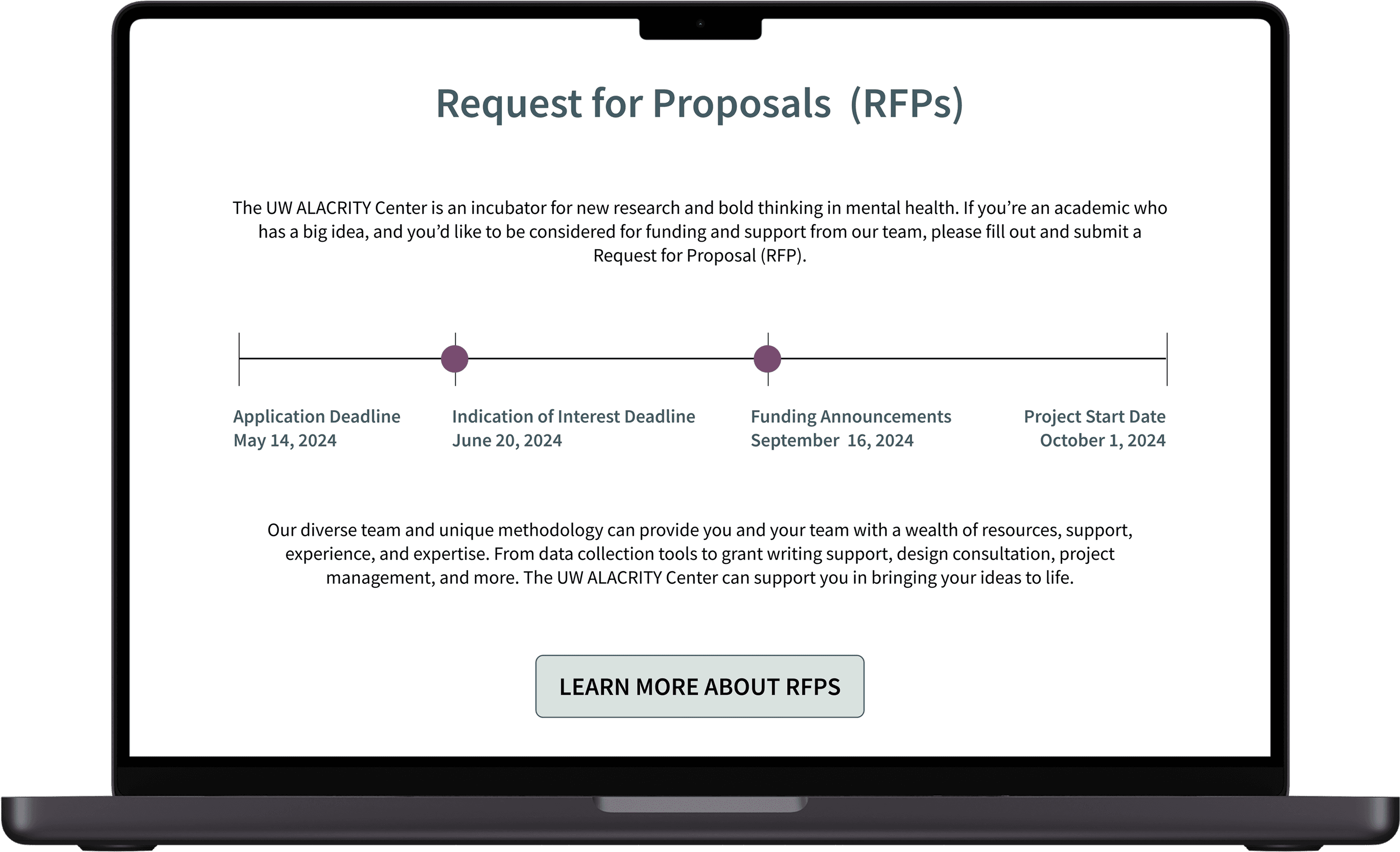
Highlighting important deadlines and information regarding RFPs (when there is an active RFP).
Projects
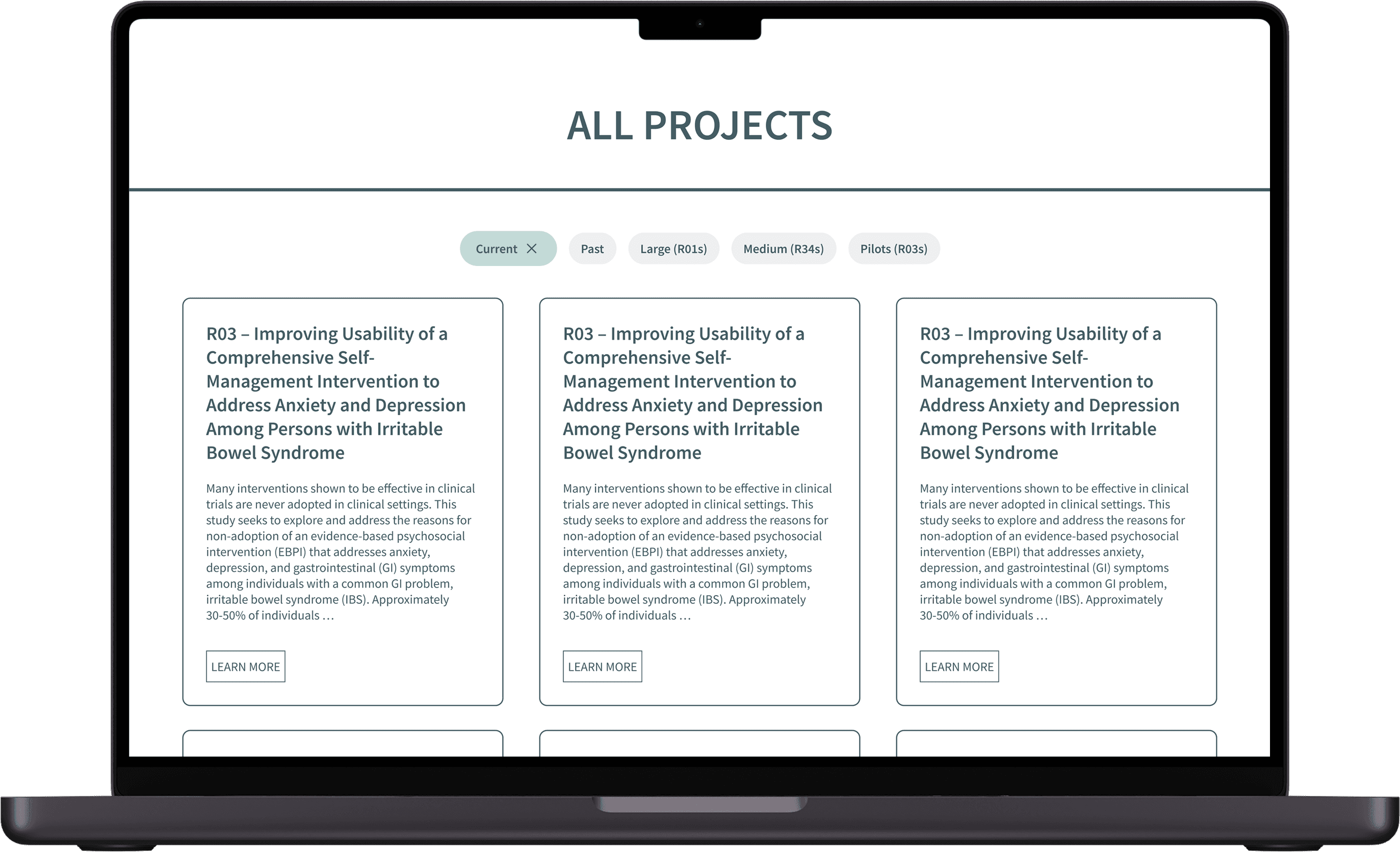
Cards for each project with filters for specific types (ie: R03s, R34s).
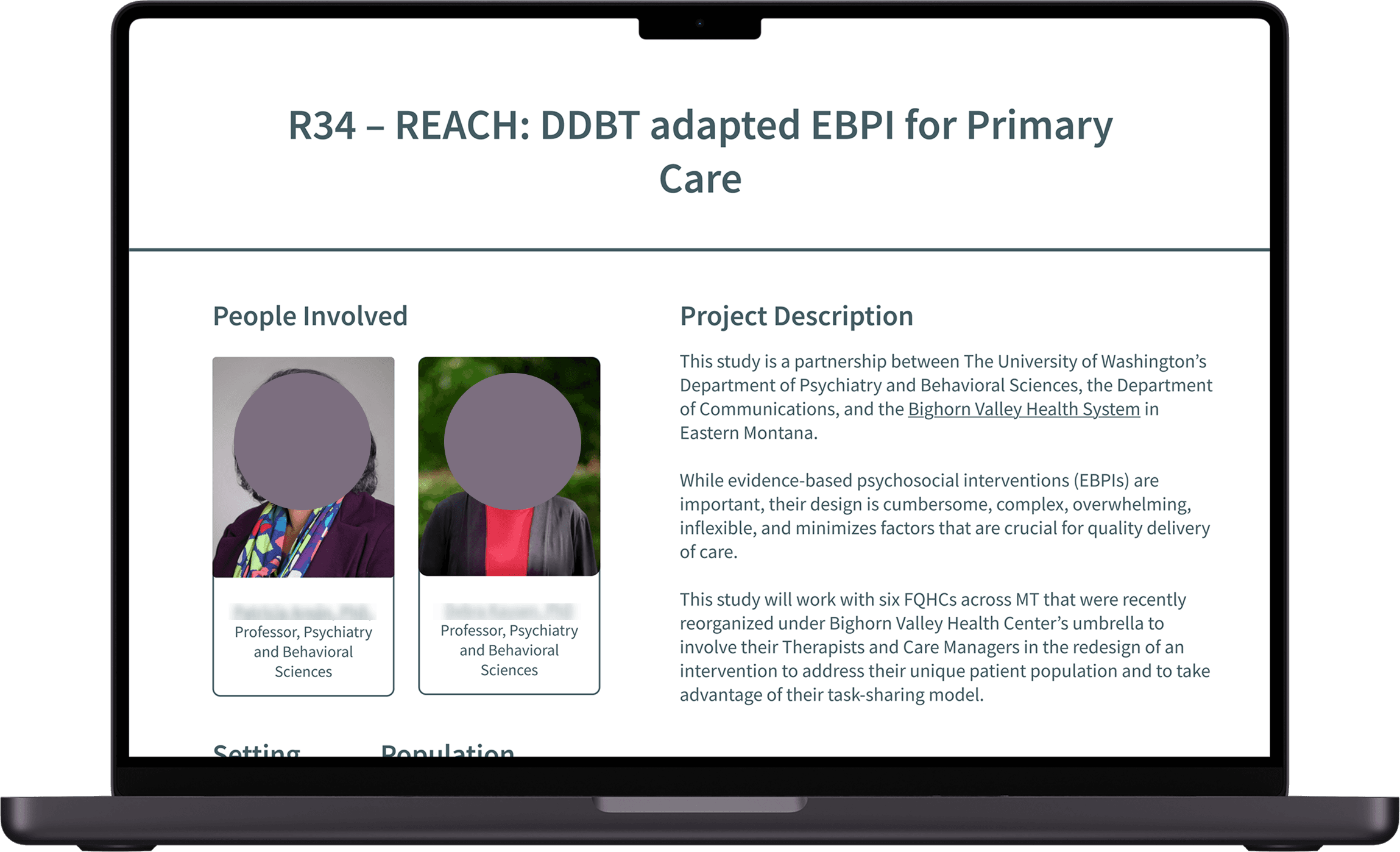
Details for people involved, project implementation, and DDBT process.
Measures
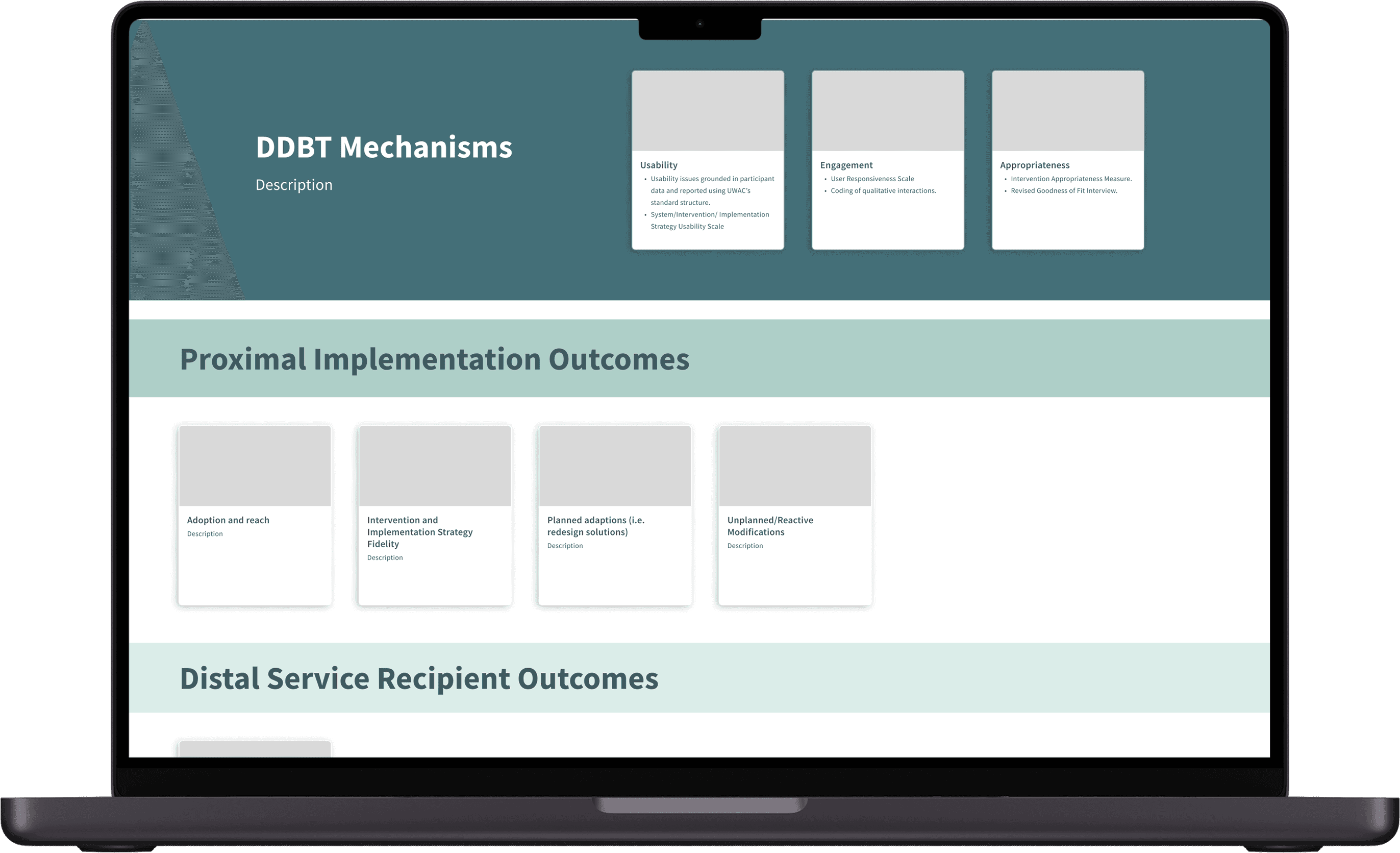
This would be an online version of the current “Center Measures and Guidance” table.
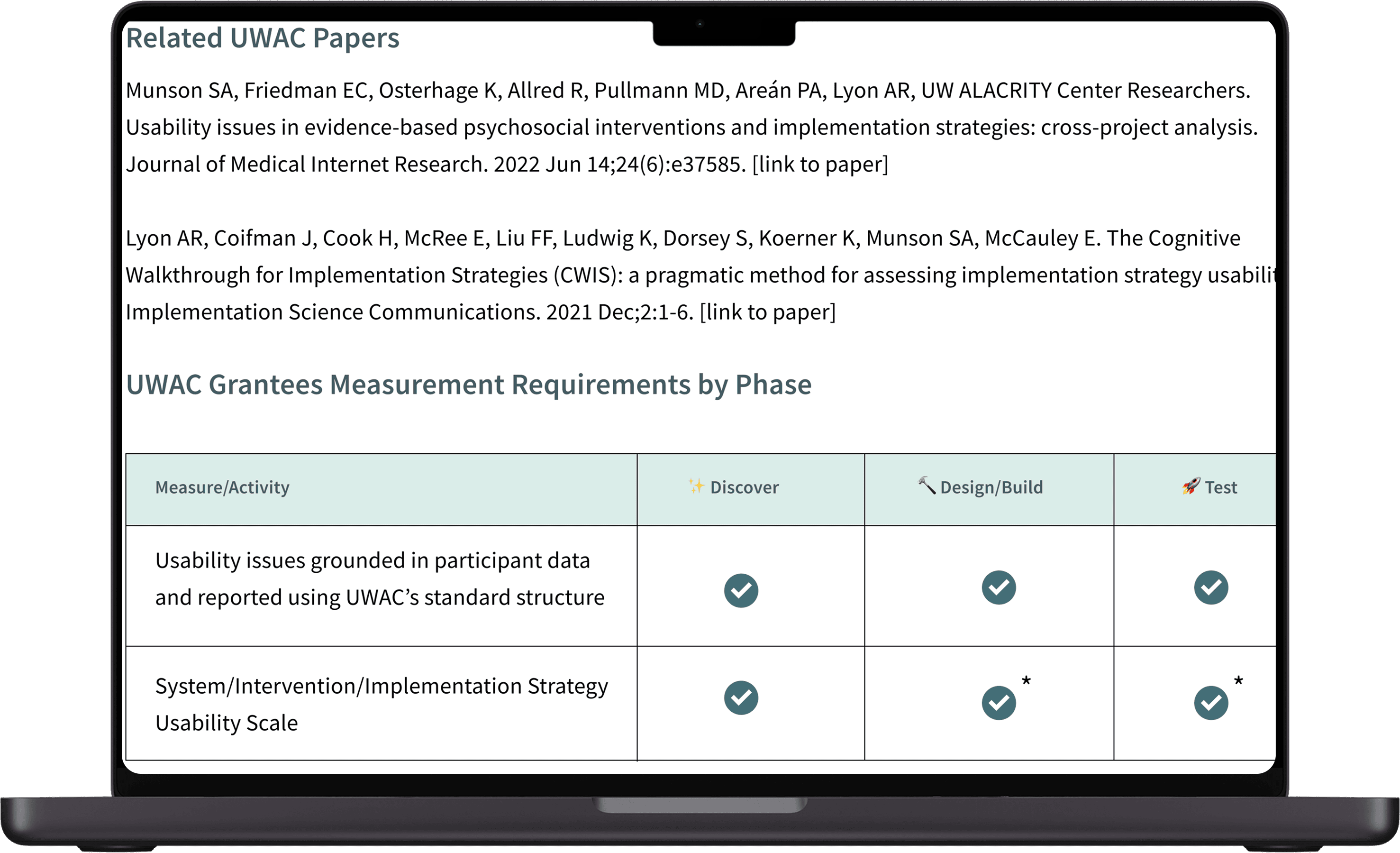
Description of each measure, whether it’s required, and techniques for measuring.
Get Involved
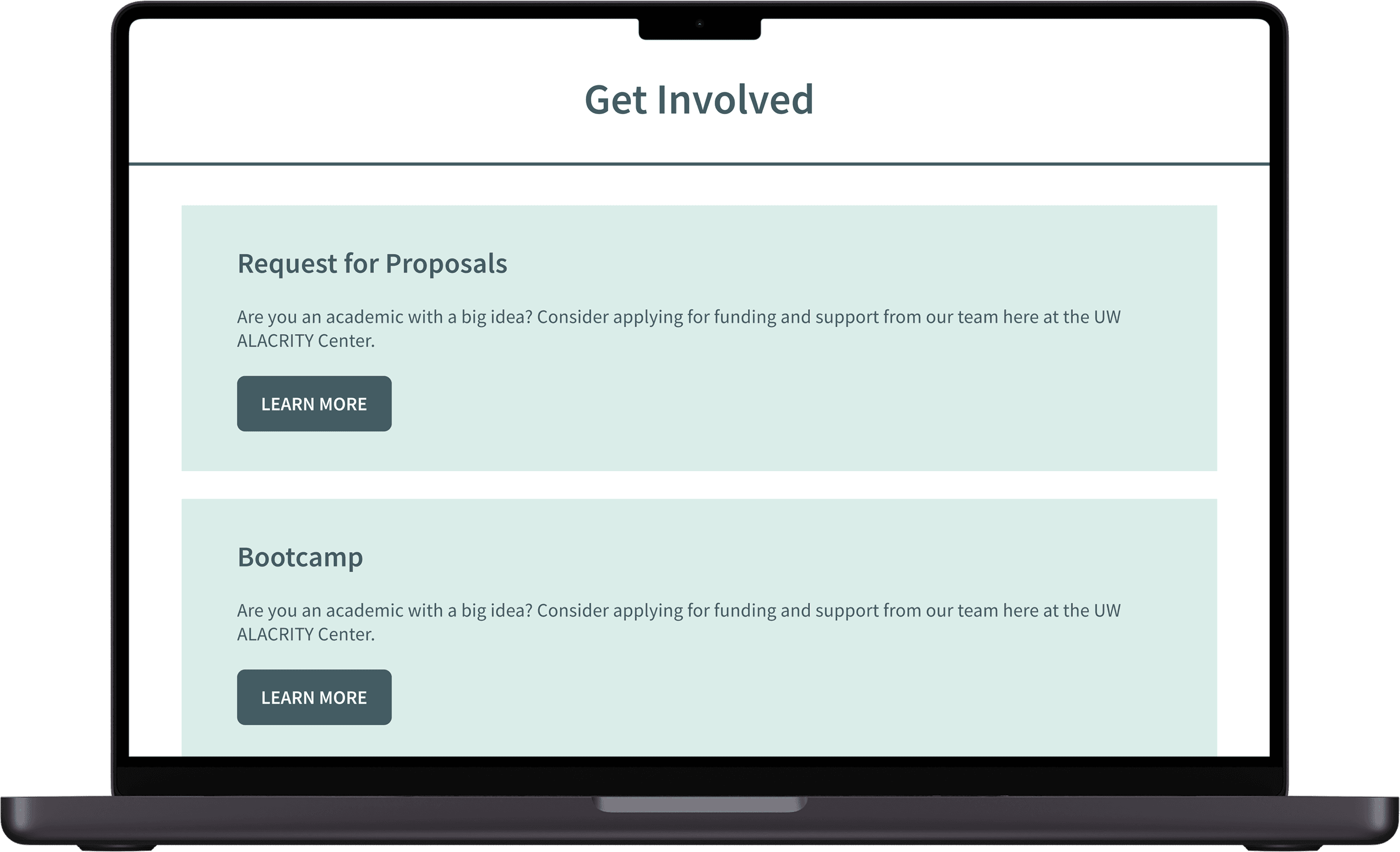
Cards with sections for different categories of involvement as well as a UWAC mailing list sign up.
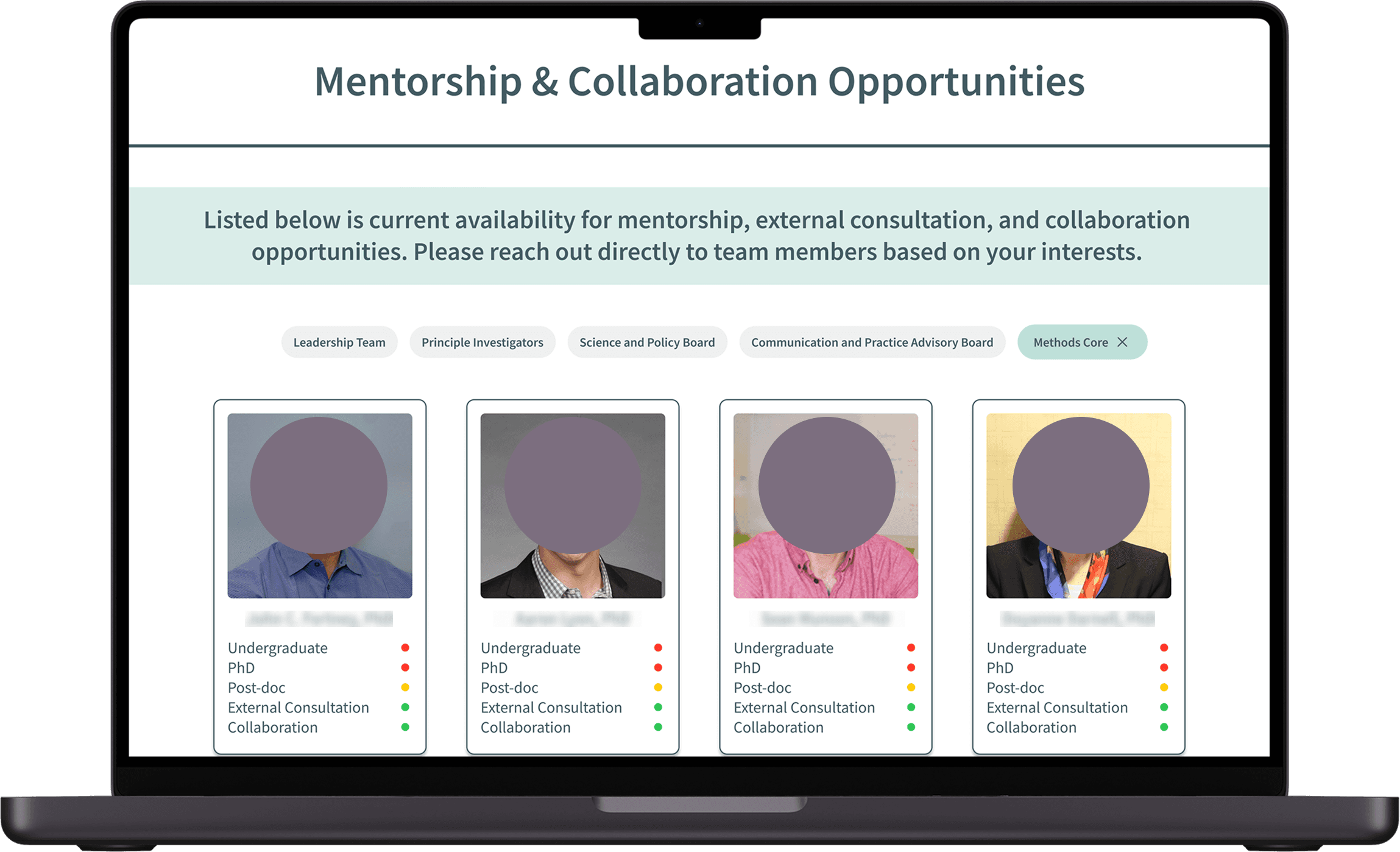
Profiles of UWAC staff with visual indication of mentorship availability.
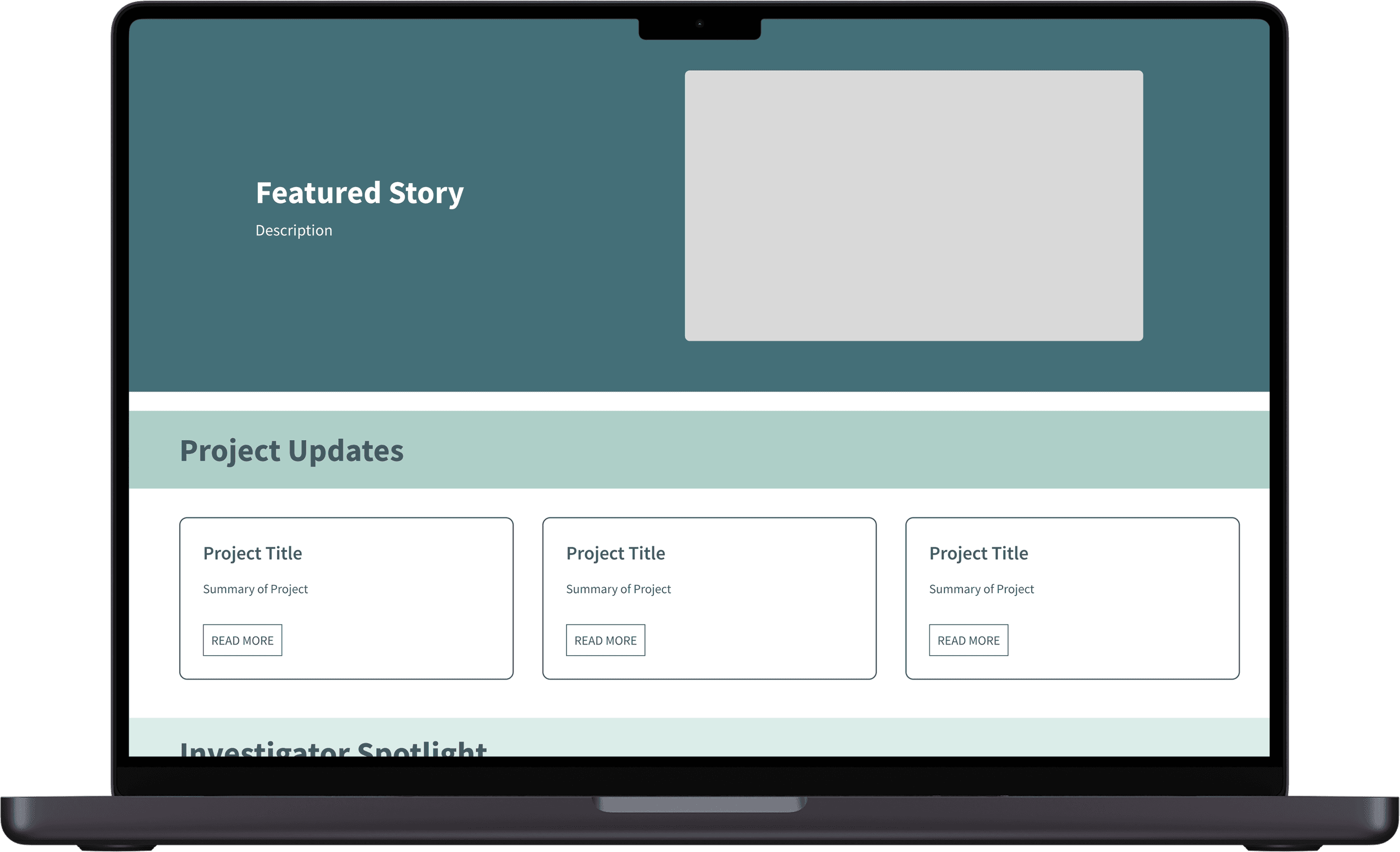
Featured stories with project updates, investigator spotlights, and recent papers.
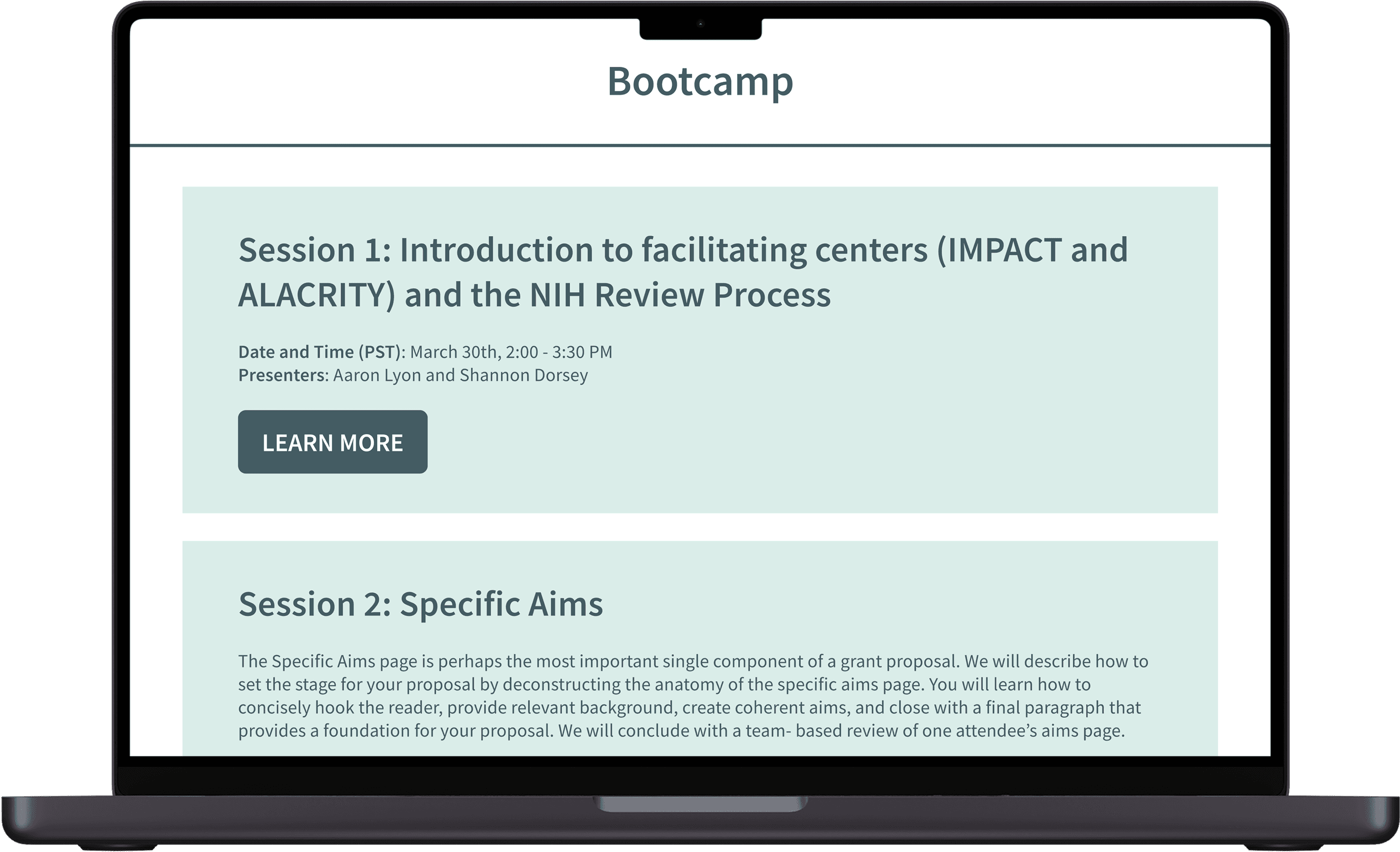
Cards featuring previous recordings of UWAC bootcamps.
Reflection
There’s more than meets the eye
The website’s design system was described as clean and sleek, however, many users expressed frustration with the overall experience due to terminology and navigation issues. This redesign project taught me although something may be visually appealing, it does not necessarily equate to a good user experience. Even if a website is functional, there is always room for improvement.